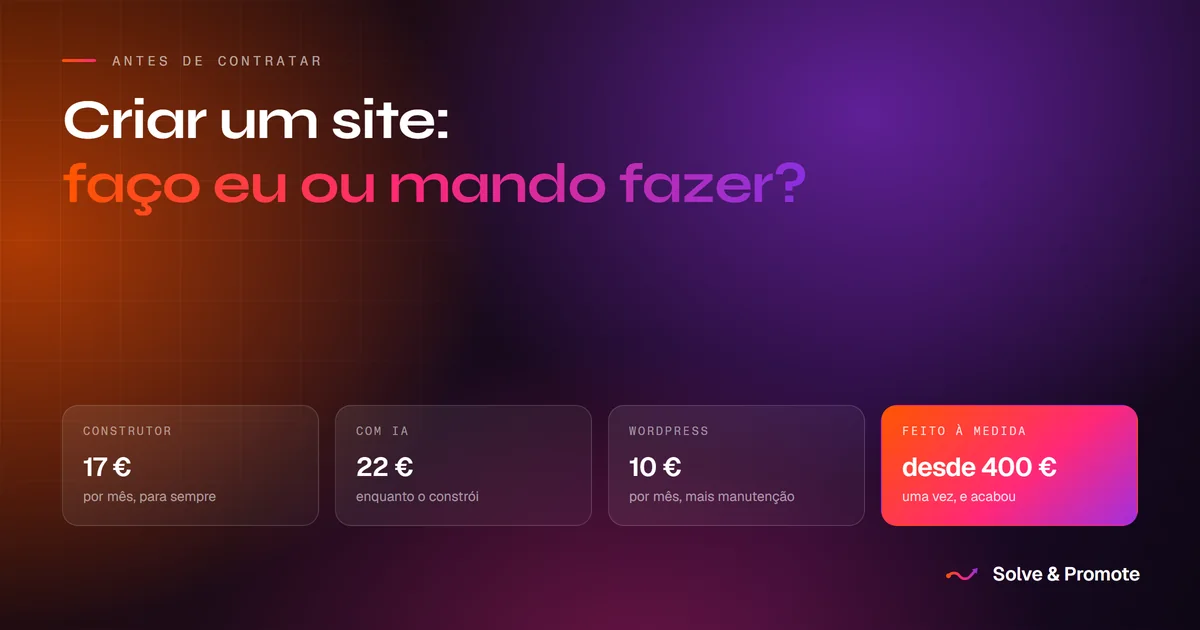
There are four paths to putting a business online: a visual builder like Wix, AI-assisted creation, a self-managed WordPress, or custom development. The decision is not made on the first month's fee. It is made by adding up three things: the real cost at three and five years, the technical load you will take on, and the impact the choice has on your brand's credibility.
When the time comes to put a business online, most owners make the same mistake: comparing only the first month's fee. Looking at the opening invoice is looking at the number that matters least.
To make an intelligent decision you need to add up three factors: the real costs at three and five years, the technical load you will take on (domains, DNS, learning software) and the impact the final choice has on your brand's credibility.
We are an interested party in this conversation at Solve & Promote, so here is a transparent analysis with the pros and cons of each path, including the invisible cost of your own time.
1. Visual builders: Wix and Squarespace
- What it is. Drag-and-drop platforms with pre-made templates, hosting and domain in one package.
- Learning curve and time. They promise a website in no time, but reality usually adds up to 15 to 30 hours aligning blocks, fixing the mobile version that comes out misshapen, and working out how to connect your company domain to the platform.
- What about the free plan? It exists, but the address carries the platform's name in the middle and the page carries advertising that is not yours. To have your own domain and a site without ads you need a paid plan, and that is the one in the figures below.
- Advantages. You can change a piece of text at any hour without depending on anyone, and no technical knowledge is needed to get started.
- Limitations. The excess of scripts makes the sites heavy. If you stop paying the monthly fee, the site disappears, and you cannot move the structure to another server.
2. AI-assisted creation
- What it is. Building websites through instructions, the so-called prompts, in artificial intelligence tools such as Claude Code or the website generators.
- Learning curve and time. This is where the true price of this option lives.
You do not pay it in euros, you pay it in hours. To get from an idea to a published website you
have to learn five things at once:
- Design. Spacing, typography, hierarchy and colour. The AI writes the code, but the visual decisions are still yours, and they are what the site is judged by.
- Prompting. Describing what you want precisely enough for the tool to get it right, and knowing how to correct it when it does not.
- The tool itself. Claude Code and its equivalents are developer tools. They work in files, folders and a command line.
- The domain. Where it is bought, what you are actually buying, and whose name it is registered in.
- Hosting and DNS. Where to put the files, and how to point the domain at that hosting through DNS records. It is the part that stalls the most people, because when it goes wrong there is no error message, the site simply does not open.
- What the tool costs. AI tools are paid monthly while you are building. Claude Code, for example, runs around €22 for a month. The difference against the other options is that this cost stops when the site is finished: from then on you only pay the domain, because hosting a static site on Netlify or Vercel costs nothing.
- Advantages. Ultra-fast code, total flexibility, and no heavyweight platform costs.
- Limitations. The AI's problem is not the code, it is strategy and design. Without professional direction, the result tends to be a functional site with the AI look: generic copy of the passion-for-detail kind, and layouts identical to hundreds of other sites.
None of these five skills is out of reach, and anyone with a taste for technology picks them up in a couple of weekends. What is worth understanding before you start is that there are five of them, not one. There is a wide gap between asking an AI for a website and having a website live, with your domain pointing at the right place.
3. Self-managed WordPress
- What it is. The most popular content management system on the internet. The software is free, but the hosting, the theme and the plugins are paid.
- Can it be free? There are two WordPresses with the same name. WordPress.com has a free plan, with the same limitations as Wix: the platform's address, advertising that is not yours, and no plugins allowed. WordPress.org, which is the software you install yourself, has none of those limitations, but it forces you to pay for hosting and a domain. As for themes and plugins, there are thousands of free ones and you really can assemble a site without paying for any, although the best ones tend to have a paid version.
- Why the hosting is always paid. This is the difference that most escapes anyone comparing WordPress with an AI-built site. A WordPress runs PHP and a database, and assembles each page at the moment somebody asks for it, which requires a server doing that work. A static site is just a set of ready-made files, so it can be published on Netlify or Vercel at no cost. A WordPress does not run on those free platforms, and that is where the monthly fee that never goes away comes from. Change provider all you like, what you find on the other side is always paid hosting.
- Learning curve and time. It is the option with the steepest learning curve. It demands configuring hosting in cPanel, installing the WordPress core, integrating security or SEO plugins, pointing the domain via DNS, and resolving the conflicts that appear when the modules update.
- Advantages. The site is 100% yours and you can change hosting whenever you want, among the many providers that support WordPress, without asking anyone's permission. And it gives you full control to publish blog articles without depending on third parties.
- Limitations. It requires continuous technical maintenance to avoid security holes and system errors.
4. Custom development with static sites
- What it is. Code designed from scratch for your company, with no templates and no heavy databases, delivered with all the technical configuration handled: domain, SSL, SEO and hosting.
- Learning curve and time. Practically zero for you. Your only work is gathering the business information and the photographs, and approving the proposal. The whole technical and design process is taken on by the agency.
- Advantages. Unbeatable speed, native mobile-first architecture, 100% exclusive design and zero platform fees. Because the site is static, hosting is practically free and invulnerable to common attacks.
- Limitations. A bigger initial investment. Structural changes or new content depend on the agency, which makes it less suited to anyone who wants to publish daily articles on their own.
The real three-year sum: costs and technical load
The figures below are for a site published with its own domain and without platform advertising, which is the minimum for a business. None of them corresponds to a free plan.
| Wix | With AI | WordPress | Custom | |
|---|---|---|---|---|
| First payment | around €17 a month, or around €204 paying the year | around €22 | around €60 for the theme, plus hosting | €400 to €2000 |
| Total at 3 years | around €660 | around €82 | around €480 | €460 to €2060 |
| From year 4 | around €204/year | around €20/year | around €180/year | around €20/year |
| Your time | 2 to 3 weekends | 1 to 2 weekends, plus the learning | Weeks, plus maintenance | A few hours |
| Domain, DNS and hosting | On you | On you | On you | Included |
What this table leaves out is written above, under each option: the quality of the code, the exclusivity of the design, and what happens to the site the day you stop paying.
A word about the first invoice, which tends to catch people off guard: the discounted prices advertised, both by the builders and by WordPress hosts, are almost always for the year paid up front. In other words, you pay the whole year on day one.
In the WordPress column I counted decent hosting and a paid theme. If you add paid plugins, which many sites end up needing for SEO, security or forms, add another €40 to €100 a year.
Two notes on the AI column, which is the one that confuses the most. The tool subscription is paid while you build, not forever, which is why it appears as an upfront cost. If it takes you two months to get the site right, count on double.
And the second, which escapes a lot of people: if you use an AI generator inside Wix or another builder, the costs that apply are the builder's, not this column's. The figures above assume the generated files go to a static platform like Netlify or Vercel, where a site this size has no hosting cost.
How to decide without going in circles
Do it yourself on a builder if
You are starting a project from zero, want to test whether the idea has demand, and would rather trade dozens of hours of your weekend than pay an upfront development cost.
Build it with AI if
You have a taste for technology, you are comfortable writing prompts, you are not afraid of configuring servers or DNS, and you want a light site without paying the heavy fees of no-code platforms.
Set up a WordPress if
You plan to produce content intensively, with a daily blog or news, you need total control over the files, and you have the patience or the knowledge to manage updates and security.
Have it custom-built if
You want your company to be seen as a reference in its market, with a clean, original, ultra-fast site designed to convert visitors into customers, carrying maximum credibility from the first second, without losing dozens of hours to technical chores or being locked into platform fees.
Our prices are all written down, with what goes into each project, in the article on how much a website costs in Portugal.
The three questions to ask before signing anything
Before hiring an agency, signing up to a Wix plan or buying a theme, always ask these three questions:
- How much will I be paying in year 3 and in year 5? Work out the accumulated cost and add the value of the hours you will spend maintaining the site.
- Who handles the domain paperwork and the technical configuration? If it is you, make sure you know how to connect DNS records and security certificates.
- What happens to the site if I stop paying the monthly subscription? If the answer is that it disappears and you lose everything, you are paying rent, not building an asset for your company.
And if you would rather see before deciding, we build a free demonstration of your site, with no commitment whatsoever. We put together a first version with your business in it, with your photographs and your services, so you can look at the result instead of imagining it from a quote. If you do not like it, it ends there and you pay nothing.
Send us a message saying what you do and where, or have a look at some recent work first, which is the quickest way to tell whether our work fits what you are looking for.
Frequently asked questions
How much does it cost to build a website from scratch?
It depends on who builds it. On a builder like Wix it starts at zero and becomes €13 to €35 a month forever. Custom-built by us, projects run from €400 to €2000: a landing page is €400, a restaurant website €700 to €1000, and a holiday rental business €1000 to €2000. All as a single payment, with no monthly fee and no hosting cost. The prices are all written down, with what goes into each one, in how much a website costs in Portugal in 2026.
Is it worth building a website on Wix?
It is, and for many people it is the right choice: it goes live fast, costs nothing up front and you can edit the site yourself at any hour. At three years it comes to around €660, which can land below a custom-built site. Where it stops paying off is over the long run, because the monthly fee keeps running, and in the fact that the site cannot be taken anywhere else.
Can I build a website with artificial intelligence?
You can, and something comes out in minutes. Today's limitation is that the results tend to look like one another, because the tools are the same and so are the descriptions, and the copy comes out correct but generic. It works well for getting started and for testing an idea. The technology is evolving fast, so this may change.
WordPress or Wix, which is better?
WordPress gives you more control and it is yours, but it needs paid hosting and regular maintenance. Wix is simpler and requires no upkeep, but it locks you to the platform. If you have nobody to maintain a WordPress for you, avoid it.
Is building a website hard?
Getting something live is easy, and today's tools help a lot. What takes more work is the part that is not technical: deciding what to say, choosing the right photographs and organising the information in the order people look for it.
What does it cost to keep a website running each year?
On a builder, between €150 and €420 a year, forever. On a WordPress, between €60 and €240 of hosting plus the maintenance time. On a static site, whether built by you with AI or built by us, around €20 a year, which is just the domain.